Shoe Store Management Simulator
Reviews
💡Shoe Store Management Simulator offers a rewarding loop of stocking, selling, and upgrading. The 3D graphics are charming, and the hands-on gameplay keeps you engaged. Upgrading your store and hiring workers feels meaningful. A great choice for fans of casual business sims.
Description
Game Introduction
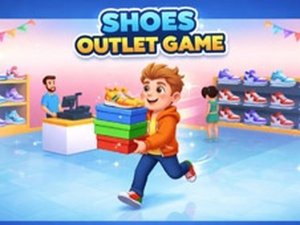
Welcome to Shoe Store Management Simulator, a 3D business simulation game where you build and manage your own shoe outlet. The core objective is to grow your store by stocking shelves, serving customers, and reinvesting profits into upgrades. What makes this game unique is its focus on hands-on management—you directly retrieve shoes from storage, place them on racks, and handle transactions. As your store expands, you can hire workers to automate tasks, making it a satisfying loop of stocking, selling, and upgrading. Designed for mobile and tablet, this hypercasual simulator offers endless growth potential as you turn a small shop into a thriving business.
How to Play
Players typically start by entering the storage area to pick up shoe pairs and carrying them to display racks. Ensure shelves are fully stocked so customers can browse and select pairs to purchase. When a customer finishes shopping, guide them to the register and collect the payment they leave behind. Use your earnings to purchase upgrades, such as hiring a storage worker, setting up an HR department to recruit more staff, or boosting your character's speed, carrying capacity, or income. Expand your store by adding more racks and displays to accommodate more customers and workers, creating a cycle of growth and reinvestment.
Game Features
Features include 3D graphics that bring your shoe store to life, with detailed storage and display areas. The game offers management gameplay where you stock shelves, serve customers, and collect payments. Store expansion is possible by adding new racks and displays to increase capacity. Worker hiring allows you to automate tasks like stocking and customer service. Character upgrades may include improvements to speed, carrying capacity, and income generation. The business simulation loop encourages reinvesting profits for endless growth, making every decision impactful on your store's success.
Tips for Success
Focus on keeping your shelves fully stocked to attract more customers and maximize sales. Prioritize upgrades that automate repetitive tasks, such as hiring a storage worker, to free up your time for expansion. Reinvest your profits wisely—consider boosting your character's speed and carrying capacity early to handle more customers efficiently. Plan your store layout to minimize walking distances between storage, racks, and the register. As you expand, balance adding new displays with hiring staff to maintain smooth operations. Consistent stocking and quick service will help you grow your outlet steadily.
Compatibility
Faq
Is Shoe Store Management Simulator free to play?
Can I play Shoe Store Management Simulator offline?
What devices are supported for Shoe Store Management Simulator?
How do I unlock new shoe styles in the game?
Can I customize my character's appearance in Shoe Store Management Simulator?
Is there a leaderboard or competitive mode in Shoe Store Management Simulator?
Recommended Games

Container Stunt Driving Adventure

Cart Ride: Roller Coaster Challenge

Container Bid Strategy Game

Pizza Shop Management Simulator

Snowman Gift Chase - Online Arcade Game

Kick a Lucky Block: Tsunami Survival Arcade

Halloween Night Driving Chase

Perfect Hotel Manager Simulation

Yarn Sort Puzzle