 GameWave
GameWave
GameWave
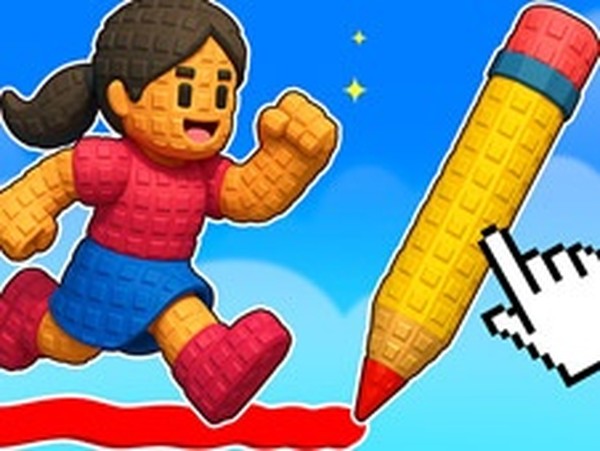
Creative Obstacle Course: Draw and Jump is a refreshing take on the obstacle course genre. The drawing mechanic adds a creative twist that makes each level feel unique. The controls are responsive, and the multiplayer mode is a blast with friends. It's a safe, engaging game for the whole family.
Creative Obstacle Course: Draw and Jump is a family-friendly arcade game that combines running, jumping, and creative drawing. In this adventure, players guide their character through a series of obstacle courses filled with pits, blocks, and traps. The core objective is to reach the finish line while collecting stars along the way. What makes this game unique is its drawing mechanic: instead of simply jumping over obstacles, players use a pencil tool to draw bridges and paths. This allows for creative problem-solving, as each course can be completed in multiple ways depending on the paths you draw. The game is designed to be safe and encourages strategic thinking and creativity for players of all ages. With its 3D graphics and casual gameplay, it offers an engaging experience that is easy to pick up but provides plenty of depth for those who want to master it.
To play, you click or swipe on the screen to draw lines that create bridges or paths over obstacles. Your character then automatically runs and jumps across your drawings to avoid falling into pits or hitting traps. You have a limited amount of ink, so you must manage it carefully. You can use an eraser tool to remove parts of your drawing and reuse that ink elsewhere. Stars are scattered throughout each course, and collecting them boosts your score and helps unlock new game modes. The controls are simple and intuitive, making it easy for anyone to start playing right away.
Creative drawing mechanics allow you to solve puzzles by drawing your own paths. Multiple game modes provide variety and replayability, including Main Race, Lava Rush, Draw Race, and Hard Mode. Star collection unlocks new challenges and rewards. Power-ups such as shields, springboards, and jetpacks enhance gameplay. Pet companions add a personal touch. The game is designed for mobile and tablet devices, supports multiplayer, and features 3D graphics. It is casual and suitable for all ages.
Practice drawing quickly and accurately to create bridges before you fall. Manage your ink wisely by erasing unnecessary parts of your drawings to reuse ink. Collect as many stars as possible to unlock new modes and power-ups. Use power-ups like shields and springboards strategically to overcome tough obstacles. Experiment with different drawing techniques to find the most efficient paths. Playing with friends can make the experience more enjoyable and help you learn from each other.







Player Comments
Sign in to comment
You must be logged in before posting a review or rating.
No account? Create one
No comments yet. Be the first to comment!