Hide Online Multiplayer Arcade
Review
Hide Online offers a fresh take on hide and seek with its prop transformation mechanic. The game is easy to learn but offers depth through creative hiding strategies. Matches are quick, making it perfect for short gaming sessions. The family-friendly theme ensures a safe experience for all ages. Replayability is high due to varied maps and the challenge of outsmarting opponents.
About This Game
Game Introduction
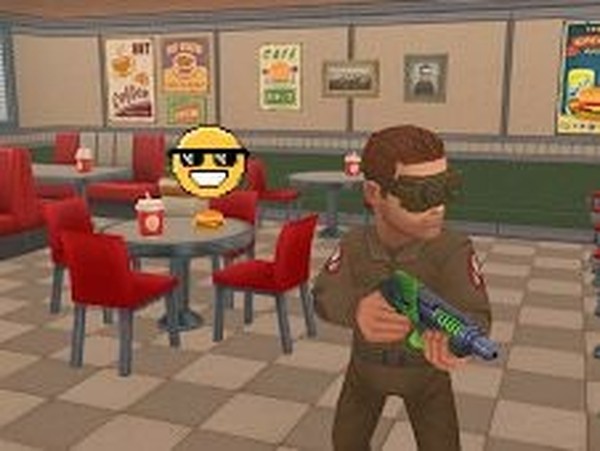
Hide Online is a multiplayer arcade game where players take turns hiding as everyday objects or hunting others. The core objective is to blend into the environment as a prop during the hiding round, or to spot and eliminate disguised players as a seeker. This game stands out for its creative hide-and-seek mechanics, combining strategy and quick reflexes in a lighthearted, family-friendly setting. With 3D graphics and action-packed rounds, it offers a fresh experience each match.
How to Play
In Hide Online, players typically control their character using standard movement keys. When hiding, you can transform into various objects found in the environment, such as furniture or decorations, to avoid detection. As a seeker, you move in first-person view, aim carefully, and use your tool to remove suspected props. The game rewards stealth and observation: hiders must stay still or move subtly, while seekers must avoid targeting real objects. Each round lasts a set time, and surviving or catching props earns points.
Game Features
This game includes team-based survival rounds where players switch roles between hiders and seekers. It features easy-to-learn controls suitable for all skill levels, creative prop hiding mechanics with a variety of objects, and fast-paced seeking action. The 3D environment adds depth to the hide-and-seek gameplay, and the multiplayer format allows for matches with friends or other players online. The game is designed to be safe and enjoyable for a broad audience.
Tips for Success
To improve in Hide Online, practice observing your surroundings and learning which objects are commonly used as props. As a hider, choose spots that blend naturally with the environment and avoid sudden movements. As a seeker, scan the area methodically and prioritize suspicious objects. Communication with teammates can also help coordinate strategies. Staying calm and thinking creatively will give you an edge in both roles.