Baby Care Fun Simulation
Review
Kinder Garden provides a relaxing simulation where you nurture babies and improve your kindergarten. Tasks are varied and rewarding, with clear progression through upgrades. The educational activities add learning value, and the game encourages replayability as you expand your facility. It is safe for all ages and promotes positive social skills.
About This Game
Game Introduction
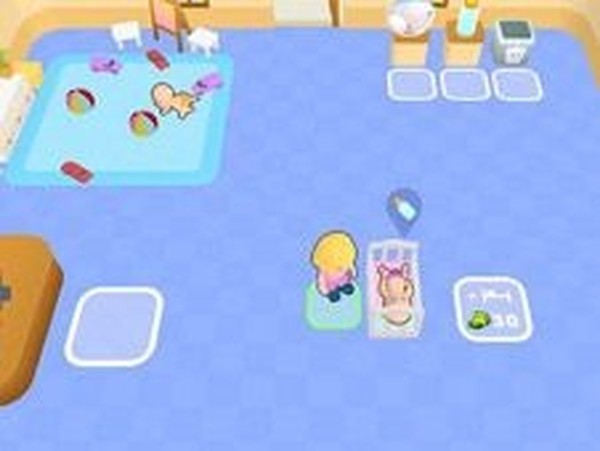
Baby Care Fun Simulation invites you to step into a warm kindergarten setting. You take on the role of a caregiver, looking after adorable babies. Your daily tasks include changing diapers, preparing milk and food, and putting little ones to sleep in cozy cribs. You can also dress up the children and guide them through fun learning activities. Each completed job earns coins, which you can spend to expand your kindergarten, add new toys, and improve facilities. The more you upgrade, the more children you can welcome, creating a loving and nurturing environment. This game is designed for all ages, promoting positive values like empathy and responsibility. There are no scary or violent moments, only wholesome fun.
How to Play
Use your mouse on a computer or your finger on a mobile device to move around the kindergarten. Follow on-screen arrows to reach different stations. At the diaper station, click to change a baby. At the feeding station, give milk or food. At the crib area, put babies to sleep. Visit the play area to interact, the dress-up corner to change outfits, and the learning station to teach new skills. Each task earns coins. Spend them in the upgrade shop to expand your kindergarten, add toys, or improve facilities. The interface is clear and friendly, with simple instructions. Just tap or click to care for your little friends.
Game Features
Complete various baby care tasks like feeding, changing, and putting to sleep. Dress up babies with different outfits. Teach children through educational mini-games. Earn coins to upgrade your kindergarten. Expand your facility to care for more children. Enjoy a family-friendly environment with no violence. Simple controls work on both computer and mobile devices.
Tips for Success
To make the most of your caregiving experience, focus on completing tasks efficiently to earn coins faster. Prioritize upgrading your kindergarten early, as this allows you to care for more children and unlock new activities. Keep an eye on each baby's needs—responding quickly to hunger, sleep, or diaper changes keeps them happy. Experiment with different outfits and learning games to discover what each child enjoys. Regular play sessions help you build a routine and maximize your progress.