 GameWave
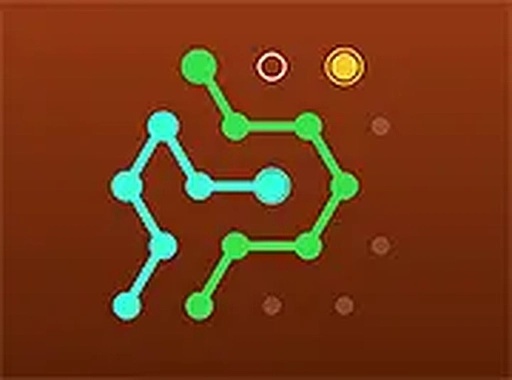
Dot Link Logic Challenge succeeds by removing distractions. No timer, no score, and no account requirement keep the focus on the grid itself. The color-matching rule adds genuine depth: you must order your connections so paths never cross, and larger boards with more colors demand real planning. The clean interface works on phones and desktops alike. Its main limitation is that it offers no scoring or competitive layer, so players seeking speed challenges may find it too relaxed. For families, commuters, or anyone who enjoys untimed brain teasers, it is a solid choice.
Every puzzle in Dot Link Logic Challenge gives you a grid dotted with colors. Your job is to pair dots of the same color by drawing a path between them. Each path must fill every empty cell on the board, and no path may cross or overlap another. That single constraint turns a simple matching task into a spatial reasoning problem where the order of your connections matters as much as the connections themselves.
What separates this from basic connect-the-dots puzzles is the color rule. You cannot simply link dots in any order; you must plan so that paths of different colors never intersect. Some boards include multiple dots of the same color, which forces you to link them in one continuous path. The result feels closer to solving a maze with several valid routes than to a casual matching game, and it rewards thinking several moves ahead.
Dot Link Logic Challenge deliberately removes time pressure and scoring. You can sit with a board for as long as you need, backtrack, and try a different order of connections. The only feedback is whether the grid is completely filled and every color is paired. That design makes it suitable for short breaks or quiet evenings, and it keeps the focus on patience and attention to detail rather than speed.
Early puzzles use small grids with two or three colors, which lets new players learn the rules without frustration. Later boards expand in size, add more colors, and introduce layouts that demand creative pathfinding. The interface stays clean: clearly colored dots on a neutral background, with touch and mouse controls that work in mobile and desktop browsers. No download or account is required, and the lack of loud sounds or distracting animations helps maintain concentration.
Sign in to comment
You must be logged in before posting a review or rating.
No comments yet. Be the first to comment!











Editorial Notes